Query Federation
Spice provides a high-performance SQL query engine built on Apache DataFusion, supporting query federation across multiple data sources including databases (PostgreSQL, MySQL), data warehouses (Databricks, Snowflake, BigQuery), and data lakes (S3, MinIO).
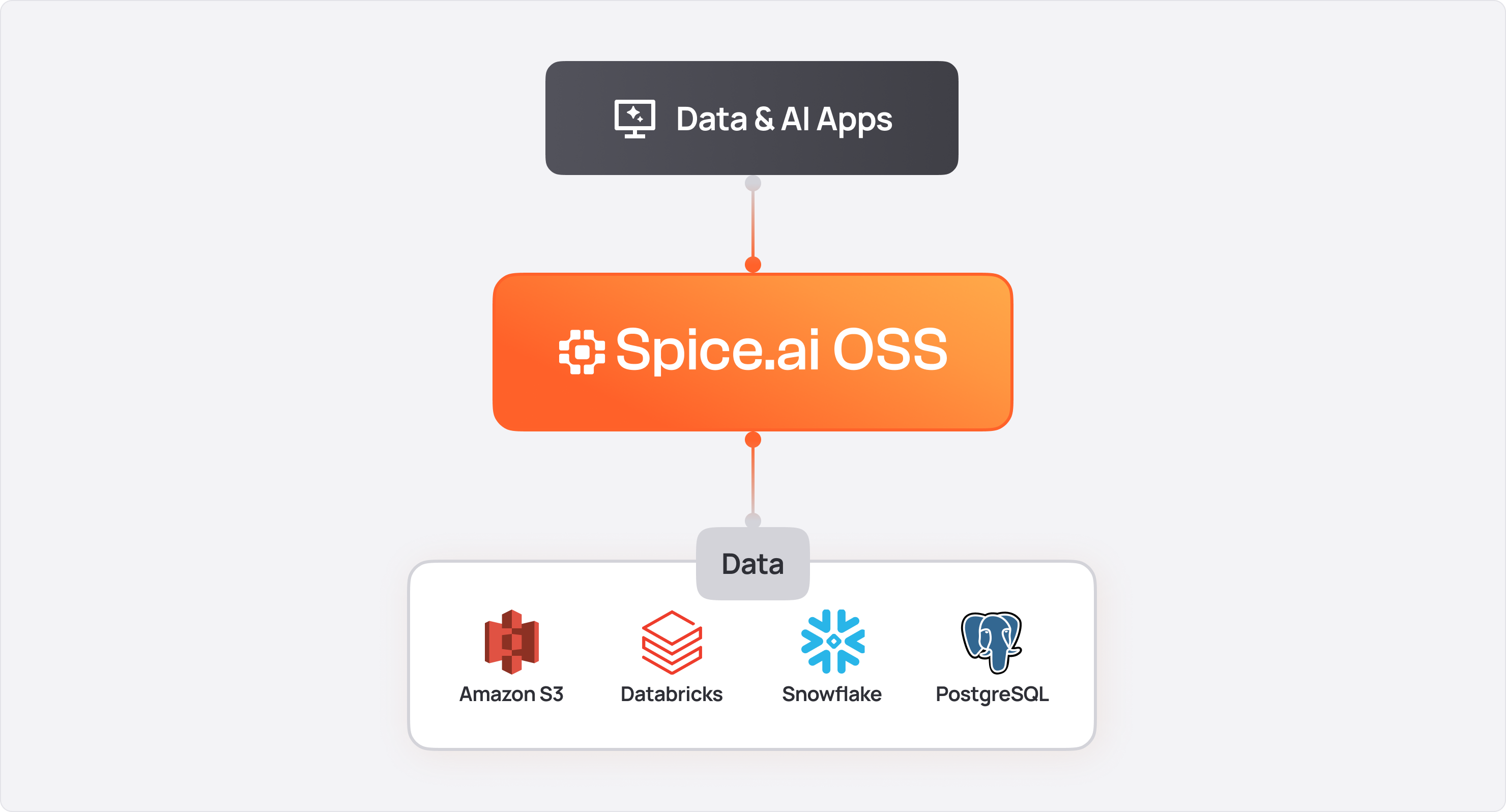
For a full list of supported sources, see Data Connectors.
When to Use Query Federation
Query federation is useful when:
- Data lives in multiple systems (e.g., PostgreSQL + S3 + Snowflake) and needs to be joined without ETL pipelines.
- Applications need a single SQL interface to query across databases, data lakes, and warehouses.
- SQL queries should be pushed down to source databases to minimize data transfer.
Minimal Example
Query data from PostgreSQL and S3 through a single SQL interface:
version: v1
kind: Spicepod
name: federation_example

datasets:
  - from: postgres:public.customers
    name: customers
    params:
      pg_host: localhost
      pg_db: mydb
      pg_user: reader
      pg_pass: ${secrets:PG_PASS}

  - from: s3://analytics-bucket/orders/
    name: orders
    params:
      file_format: parquet
      s3_auth: iam_role
-- Join across PostgreSQL and S3 in a single query
SELECT c.name, COUNT(o.order_id) as order_count
FROM customers c
JOIN orders o ON c.id = o.customer_id
GROUP BY c.name
ORDER BY order_count DESC;
Query Methods
Spice supports multiple ways to execute queries:
- SQL Queries: Execute standard SQL queries against datasets using the HTTP API, Arrow Flight SQL, JDBC, ODBC, or ADBC.
- Parameterized Queries: Execute prepared statements with parameter binding for improved security and performance.
- Federated Queries: Join and query data across multiple sources in a single SQL statement.
API Endpoints
| Protocol | Endpoint | Description |
|---|---|---|
| HTTP | /v1/sql | Execute SQL queries over HTTP |
| Arrow Flight SQL | grpc://localhost:50051 | High-performance Arrow-native queries |
| JDBC/ODBC | Flight SQL compatible | Connect from BI tools and applications |
| ADBC | Flight SQL driver | Arrow Database Connectivity |
HTTP API
Execute a query using the HTTP API:
curl -X POST http://localhost:8090/v1/sql \
  -H "Content-Type: application/json" \
  -d '{"sql": "SELECT * FROM my_table LIMIT 10"}'
Arrow Flight SQL
Connect using Arrow Flight SQL for high-performance data transfer:
import adbc_driver_flightsql.dbapi

conn = adbc_driver_flightsql.dbapi.connect('grpc://localhost:50051')
cursor = conn.cursor()
cursor.execute("SELECT * FROM my_table LIMIT 10")
result = cursor.fetch_arrow_table()
SQL REPL
Use the Spice CLI for interactive queries:
spice sql
SELECT * FROM my_table LIMIT 10;
Query Features
Parameterized Queries
Learn how to use prepared statements and parameterized queries in Spice for improved security and performance.
URL Tables
Query object store files directly using URLs without pre-registering datasets
Federated Query Example
To start using federated queries in Spice, follow these steps from the Federated SQL Query cookbook recipe, which joins NYC taxi trips stored in S3 with taxi zone names stored in PostgreSQL:
Step 1. Install Spice by following the installation instructions.
Step 2. Clone the Spice Cookbook repository and navigate to the federation directory.
git clone https://github.com/spiceai/cookbook.git
cd cookbook/federation
Step 3. Start a local PostgreSQL instance and load the NYC taxi zone lookup table. This step requires Docker.
make
make starts PostgreSQL in Docker on host port 15432, loads the taxi_zones table, and prints its row count:
 taxi_zones
------------
        265
(1 row)
Step 4. Store the PostgreSQL password. Run this command in the federation directory.
spice login postgres -p postgres
The password is written to a local .env file, which the Spice runtime reads on startup.
Step 5. Start the Spice runtime.
spice run
The recipe's spicepod.yaml defines four datasets:
| Dataset | Data |
|---|---|
taxi_trips | 2,964,624 NYC yellow taxi trips, stored as Parquet in public S3 |
taxi_zones | NYC taxi zone lookup table, stored in PostgreSQL |
taxi_trips_accelerated | taxi_trips, accelerated locally in memory with Arrow |
taxi_zones_accelerated | taxi_zones, accelerated locally in memory with Arrow |
Wait for Spice runtime is ready! in the runtime output before querying. Loading the accelerated copy of taxi_trips takes several seconds, depending on network speed.
Step 6. In another terminal, start the Spice SQL REPL.
spice sql
Join trips in S3 with zone names in PostgreSQL to find the 10 busiest pickup zones. The trip data uses mixed-case column names, so "PULocationID" is quoted.
SELECT z.zone,
       z.borough,
       COUNT(*) AS trips,
       ROUND(AVG(t.fare_amount), 2) AS avg_fare,
       ROUND(AVG(t.tip_amount), 2) AS avg_tip
FROM taxi_trips t
JOIN taxi_zones z ON t."PULocationID" = z.location_id
GROUP BY z.zone, z.borough
ORDER BY trips DESC
LIMIT 10;
+------------------------------+-----------+--------+----------+---------+
|             zone             |  borough  |  trips | avg_fare | avg_tip |
|            varchar           |  varchar  |  int64 |  float64 | float64 |
+------------------------------+-----------+--------+----------+---------+
| JFK Airport                  | Queens    | 145240 | 59.4     | 8.86    |
| Midtown Center               | Manhattan | 143471 | 15.21    | 3.08    |
| Upper East Side South        | Manhattan | 142708 | 12.18    | 2.59    |
| Upper East Side North        | Manhattan | 136465 | 12.71    | 2.64    |
| Midtown East                 | Manhattan | 106717 | 14.79    | 3.02    |
| Times Sq/Theatre District    | Manhattan | 106324 | 17.54    | 3.3     |
| Penn Station/Madison Sq West | Manhattan | 104523 | 15.79    | 3.09    |
| Lincoln Square East          | Manhattan | 104080 | 13.43    | 2.79    |
| LaGuardia Airport            | Queens    | 89533  | 41.46    | 8.67    |
| Upper West Side South        | Manhattan | 88474  | 13.45    | 2.79    |
+------------------------------+-----------+--------+----------+---------+

Time: 4.922428459 seconds. 10 rows.
Step 7. Run the same join against the locally accelerated datasets.
SELECT z.zone,
       z.borough,
       COUNT(*) AS trips,
       ROUND(AVG(t.fare_amount), 2) AS avg_fare,
       ROUND(AVG(t.tip_amount), 2) AS avg_tip
FROM taxi_trips_accelerated t
JOIN taxi_zones_accelerated z ON t."PULocationID" = z.location_id
GROUP BY z.zone, z.borough
ORDER BY trips DESC
LIMIT 10;
The query returns the same 10 rows without contacting S3 or PostgreSQL:
Time: 0.022001709 seconds. 10 rows.
Query times vary between runs, and federated query times depend on network latency to S3.
Step 8. Stop the Spice runtime with Ctrl+C. Then stop PostgreSQL and remove its container and volume.
make clean
Acceleration
The join in step 6 reads trips from S3 and zones from PostgreSQL at query time, so its response time includes network latency and data transfer.
Step 7 runs the same join against copies of both datasets materialized locally with Data Accelerators. Because the query reads only local data, it returns the same rows in milliseconds instead of seconds.
- Query Performance: Without acceleration, federated queries will be slower than local queries due to network latency and data transfer.
- Query Capabilities: Not all SQL features and data types are supported across all data sources. More complex data type queries may not work as expected.
Related Topics
- Distributed Query - Scale queries across multiple nodes
- Results Caching - Cache query results for improved performance
- Arrow Flight SQL API - High-performance query protocol
- ADBC - Arrow Database Connectivity
